How to pay for Click2Mail Connect mailings
Connect works off Click2Mail User Credit. Your mailing or mailings will be deducted from the User Credit balance daily. Alternatively, if you have other terms with Click2Mail you will be charged accordingly. Please remember that invoicing or other payment terms must be established with Click2Mail Accounting before submitting your mailings.
Before you start
Payment is the one thing that can quietly stop an automated mailing, so it is worth settling first.
- A Click2Mail account. Connect uses the same account and the same balance.
- Click2Mail User Credit, or other payment terms established with Click2Mail Accounting before you submit mailings.
- Mailings do not process when the account has too little credit.
Choose how the account is funded
Connect works off Click2Mail User Credit. There are two ways to be set up.
- User Credit. Your mailing or mailings are deducted from your User Credit balance daily.
- Other payment terms. If you have other terms with Click2Mail, you will be charged accordingly. Invoicing or other payment terms must be established with Click2Mail Accounting before you submit your mailings; contact customer support to set this up (the link is in the section below).
- To add User Credit, open Credit History in your Click2Mail account and choose Buy Credits. Choose the amount, the billing address and the payment method (credit card or PayPal), then follow the screens to pay.
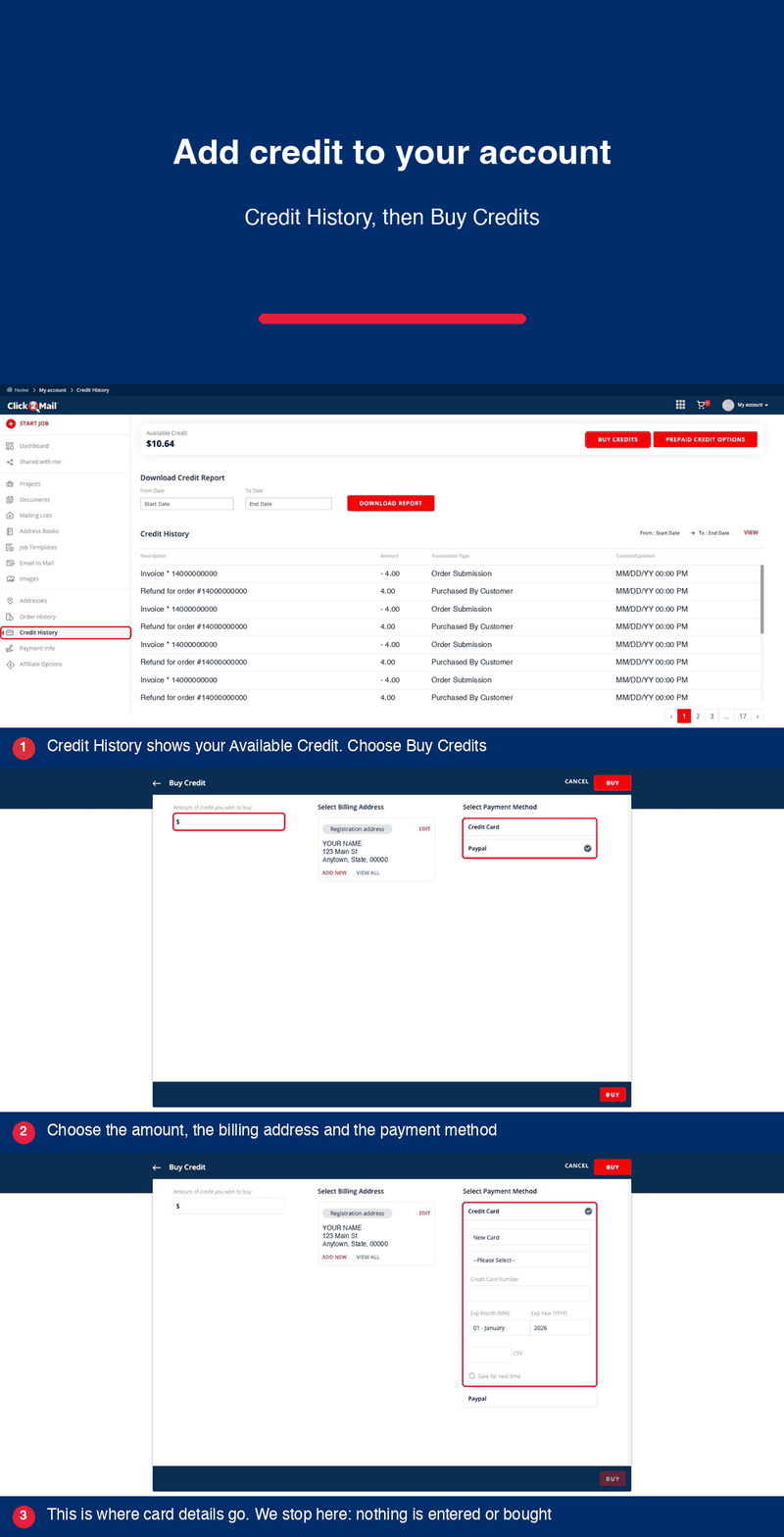
Connect runs on credit
Connect mailings need enough credit in the account, or terms in place, to go through.
Watch your balance and retry failed mailings
If a mailing does fail for low credit, it is easy to put right.
- Connect shows your credit on the Click2Mail row of Connected Accounts. You can switch on a Low Credit Alert there.
- If a request failed because the balance was too low, add credit to your Click2Mail account.
- Open Order History in Connect and go to the Failed Requests tab.
- Tick the request and choose Resubmit Selected.
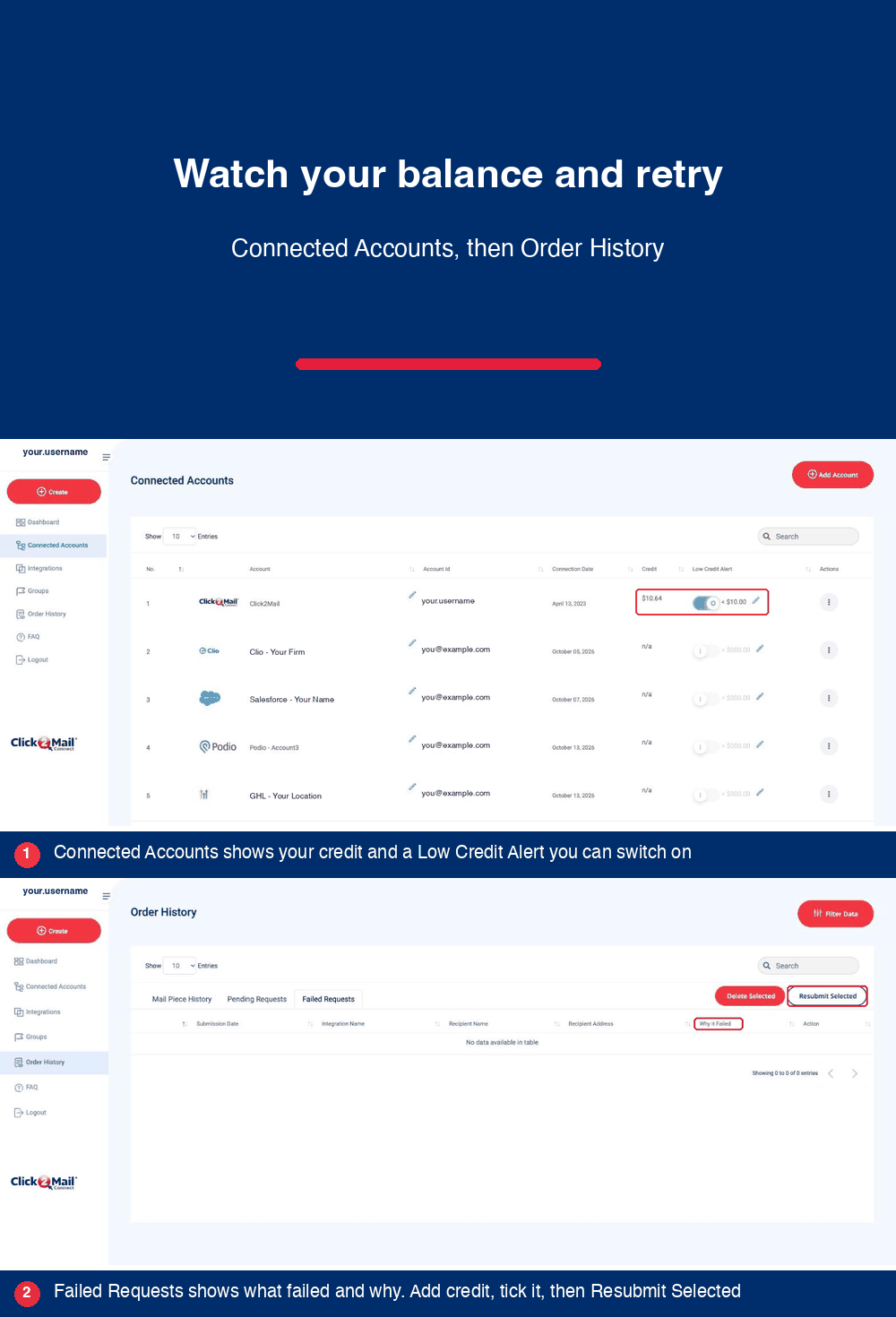
Low-balance alerts and Auto Credit
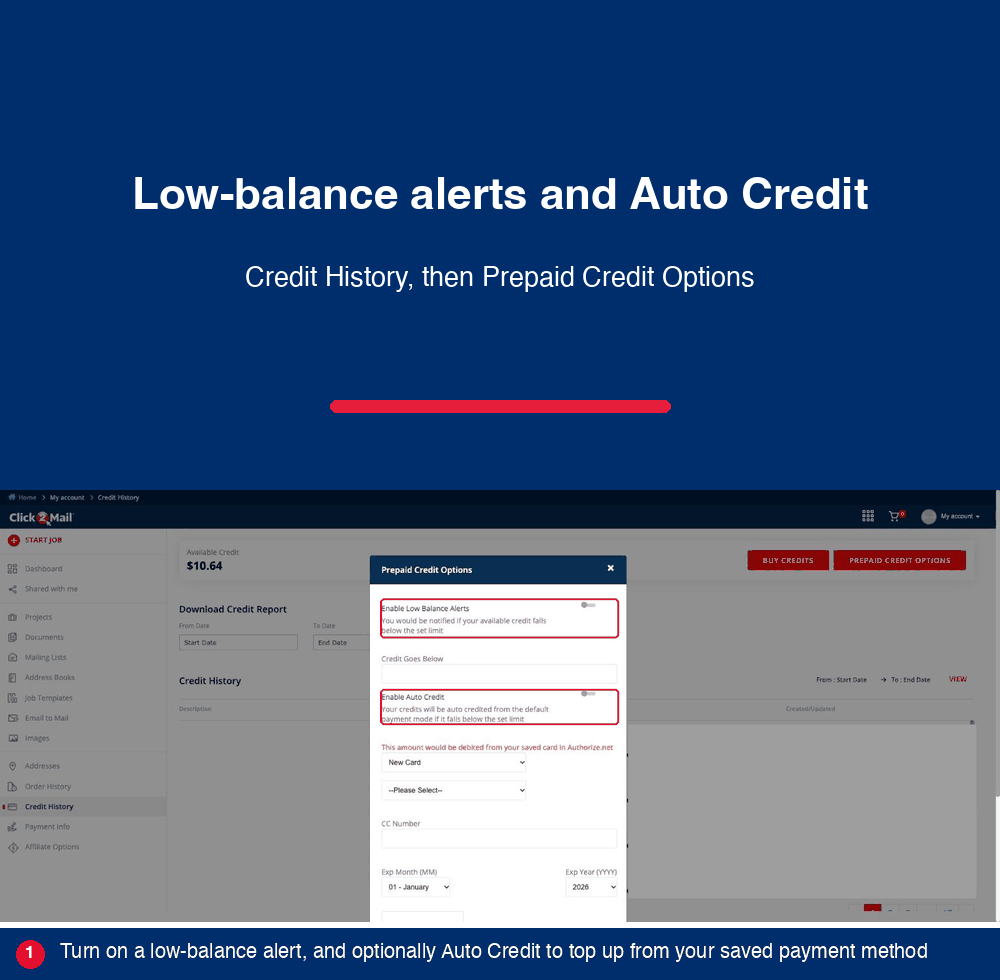
In your Click2Mail account, Prepaid Credit Options has two switches that help you keep mail flowing.
- Open Credit History and choose Prepaid Credit Options.
- Enable Low Balance Alerts and enter an amount. You are notified when your available credit falls below it.
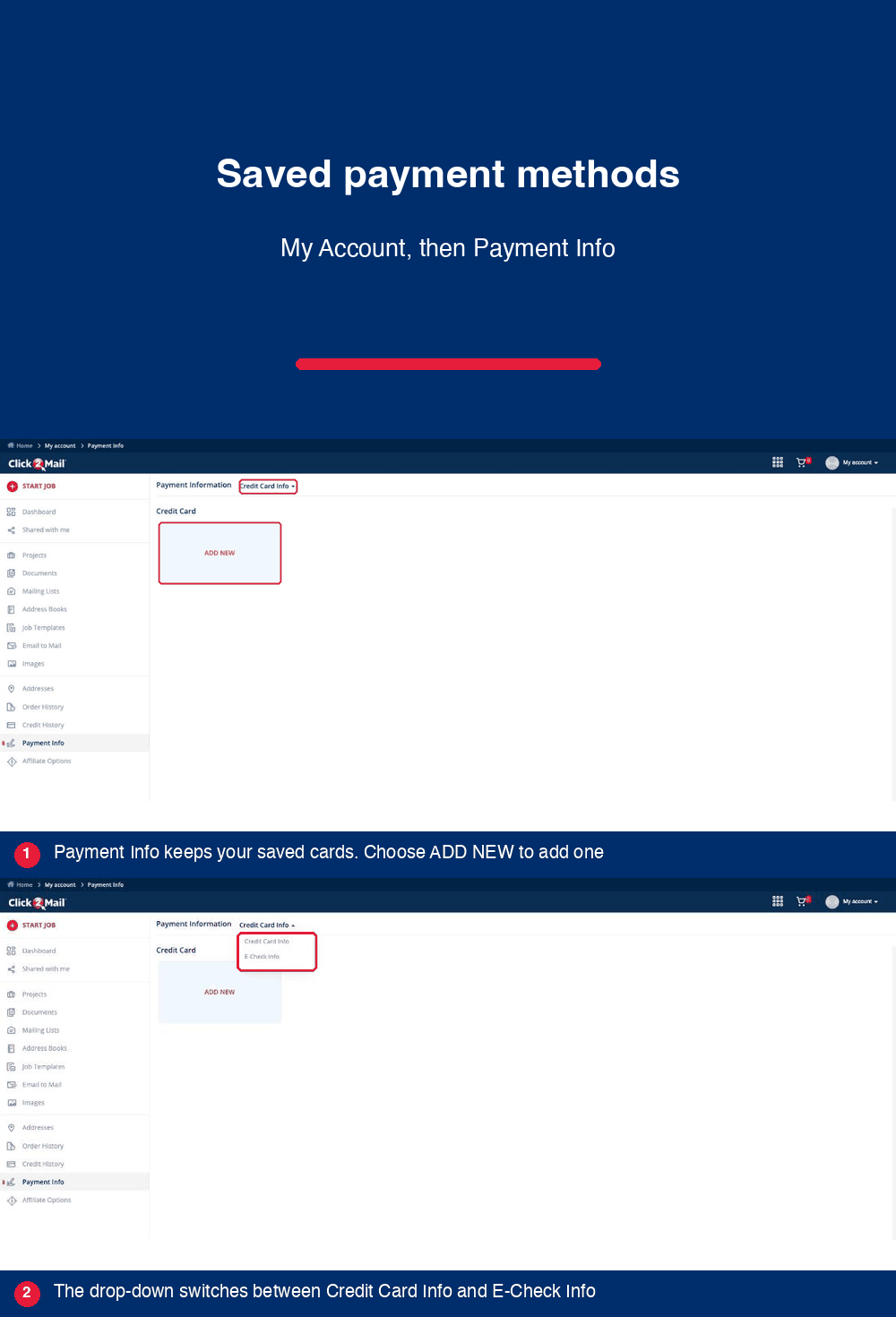
- Optionally enable Auto Credit and set the limit. When your credit falls below it, Click2Mail tops it up from your default payment method, so the amount is charged to your saved card.
Payment terms
Payment terms are set up and managed by Click2Mail, not by Connect. To arrange them, contact Click2Mail customer support.
Contact Click2Mail customer support
Good to know
A few facts that answer the questions people ask most.
- Connect has no monthly software fee. You pay for the mail you send.
- Your balance is used as your mailings are processed, and Connect will not send mail if the account has no credit.
- To set up payment terms, contact Click2Mail customer support.
Where failures show up
Any Connect request that could not go through appears in the Failed Requests tab of Order History, so nothing disappears without a trace.
If something goes wrong
My mailings are not going out
Check your balance first. Connect mailings do not process when there is not enough credit. Add credit, then open Failed Requests in Order History, tick the request and choose Resubmit Selected.
Still stuck?
For payment questions, contact Click2Mail customer support and our team will help you sort it out.
Ready to automate your mail?
Connect Click2Mail to the platform you already run on and start sending in minutes. No monthly software fees.
Sign Up