No CRM? A spreadsheet is enough.
Google Sheets is the budget-friendly gateway to automated direct mail. Turn a simple spreadsheet into a mailing engine that sends personalized postcards, letters and notices whenever a row is added or updated.
Sign UpAdd a row, and the mail goes out.
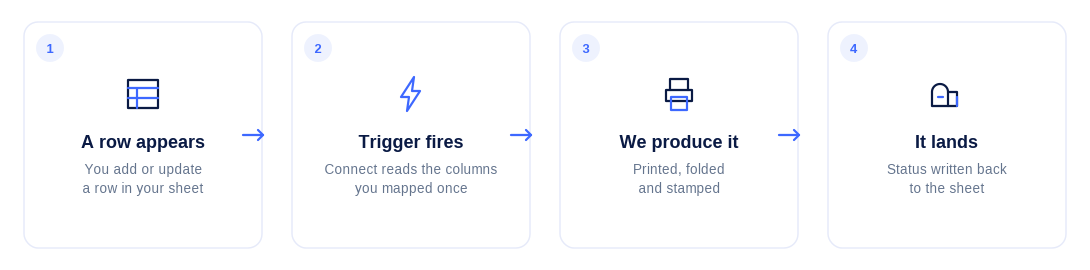
How Google Sheets sends mail
From a new row to a stamped letter, with status written back to the sheet.
The fallback that works with anything.
This one exists for the platforms we have not connected directly yet. Almost every CRM can write a row to a Google Sheet - and once the row lands, the Sheet tells us to send the mail. Your CRM still owns the rule; the Sheet is just the hand-off. It is one extra step, and in return it works with practically anything.

Works with any CRM
If your platform can export a row, it can send mail - no direct integration needed.
Add a row, send a piece
New or updated rows trigger the mailing automatically.

Nothing new to learn
If you can fill in a column, you can run a mail campaign.

No monthly software fee
Pay only for the mail you actually send.
Live in under five minutes
Connect Click2Mail directly to your central operating platform. No developer, no IT ticket, no monthly software fee.
Connect your account
Add the Click2Mail add-on to the sheet you already use.
Choose your trigger
Map your columns once - name, address, and what to send.
We print and mail
We print, address and mail every new or updated row.
Track every piece
Status writes back to the sheet so you can see what has gone out.
Your CRM still owns the rule
This is the part people miss: the seven-day follow-up, the renewal date, the overdue flag - all of that logic stays in your own system. When it fires, your CRM writes a row. The Sheet passes it to us and we print and mail. So the workflows you already run still work, even on a platform we have not integrated with directly.
- Your CRM keeps the trigger logic
- A new or updated row hands off to us
- Works with any CRM that can write to a Sheet
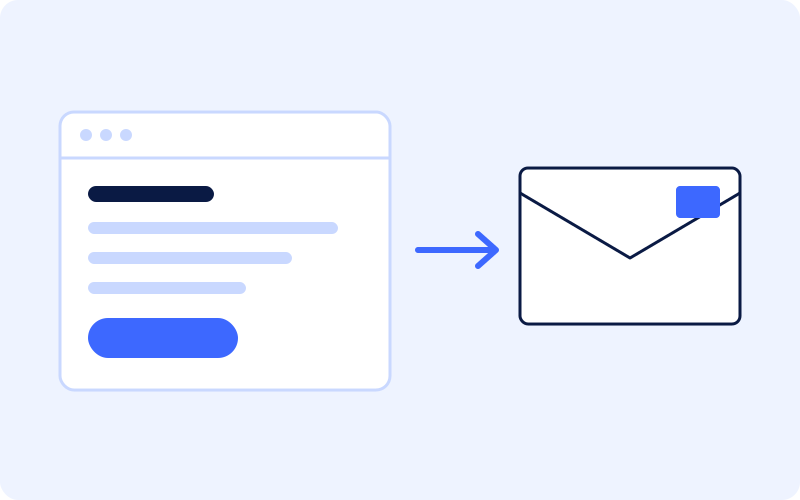
From prospecting list to proposals in the mail
Outbound campaigns that used to need an agency or a CRM run from a tab in a browser you already have open.
- Cold proposal and introduction letters
- Notices, reminders and renewals
- One-off batches without a contract

An illustrative example: a business with no CRM keeps its target properties in Google Sheets, and adding a prospect row automatically prints and dispatches a proposal letter.
Illustrative example - Timberline Commercial Cleaning, outbound prospecting
Read the exampleReady to automate your mail?
Connect Click2Mail to the platform you already run on and start sending in minutes. No monthly software fees.
Sign Up